
WooCommerce Integration Guide
Integrate your WooCommerce store with your Lappa account. Lappa for WooCommerce app allows you to calculate taxes in Lappa for all sales on your WooCommerce site, and also upload EPR data for your packaging obligations.
Step 1
There are two ways to install this plugin.
Option 1
- Install this plugin from the WordPress Plugin Directory
- Or add the plugin on the website. Go to: Plugins > Add New
Option 2
- Follow the link https://github.com/LOVAT-compliance/vatcompliance-wp-api
- Download the plugin archive
- Upload files to the folder wp-content/plugins
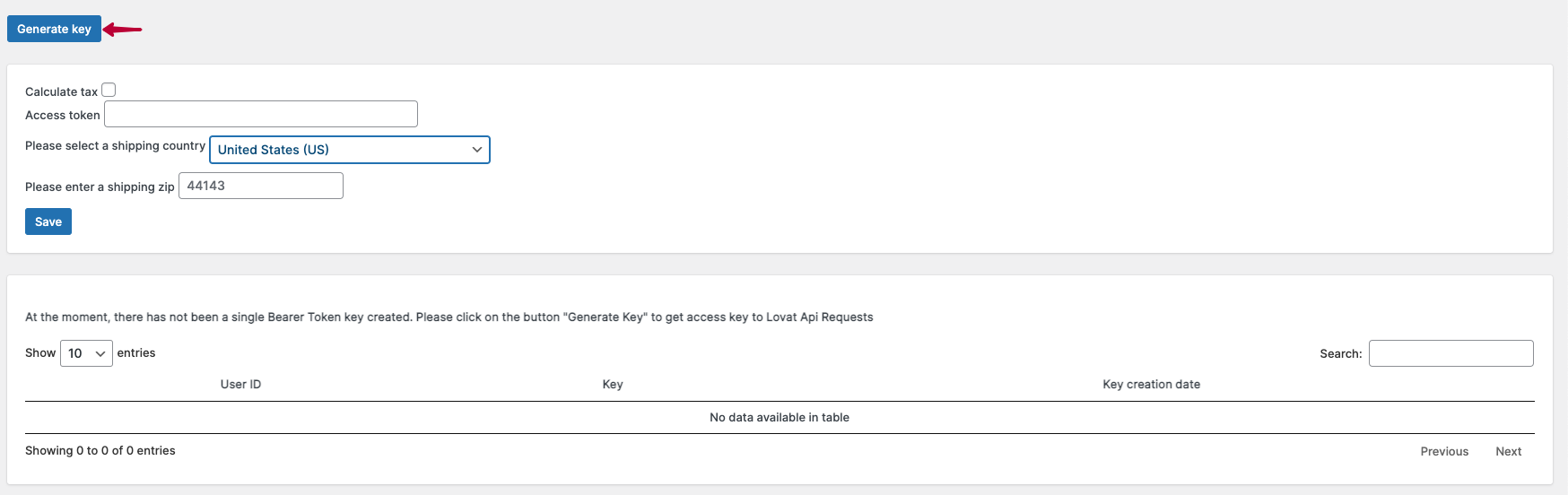
- Activate the plugin and get the access key
Step 2
- Log in to your Lappa account
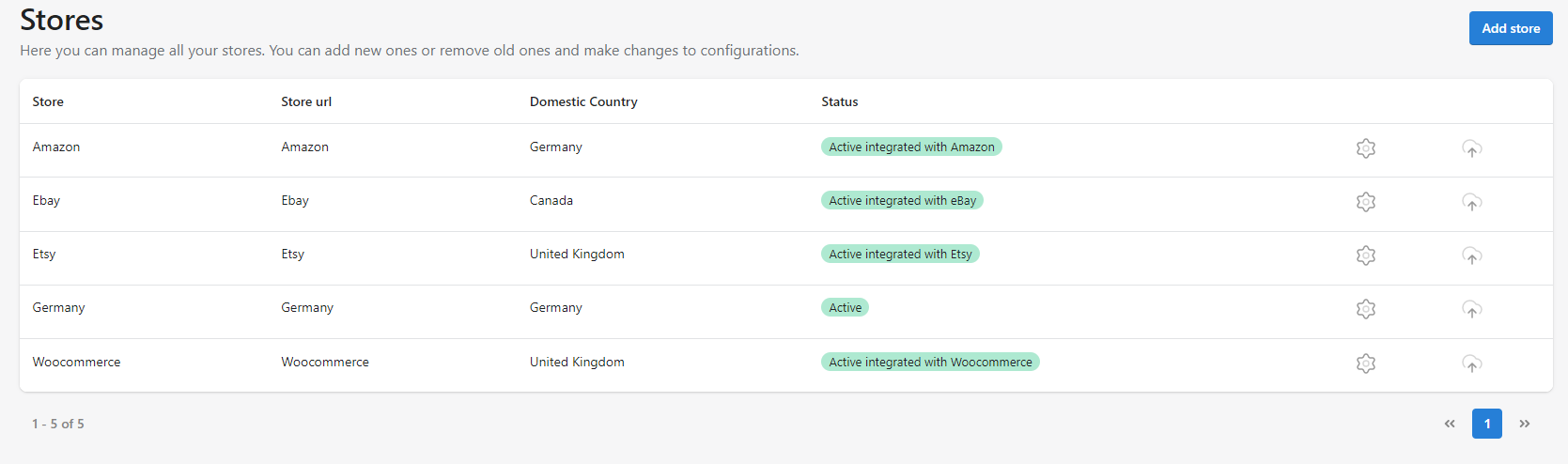
- Go to: Stores > Add Stores
3. Choose the WooCommerce Integration and fill out all required fields
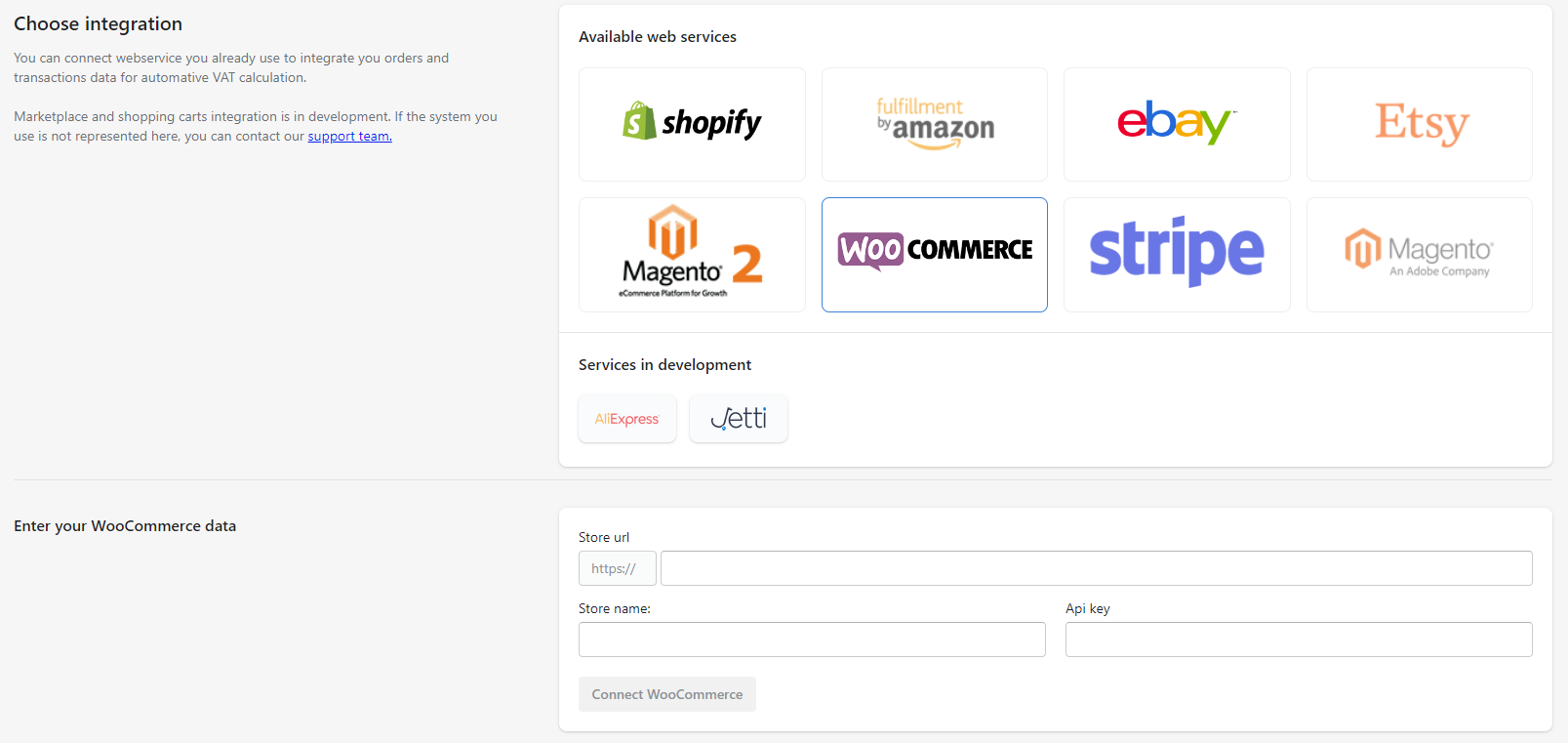
4. Click the Connect WooCommerce button and move to the Stores section
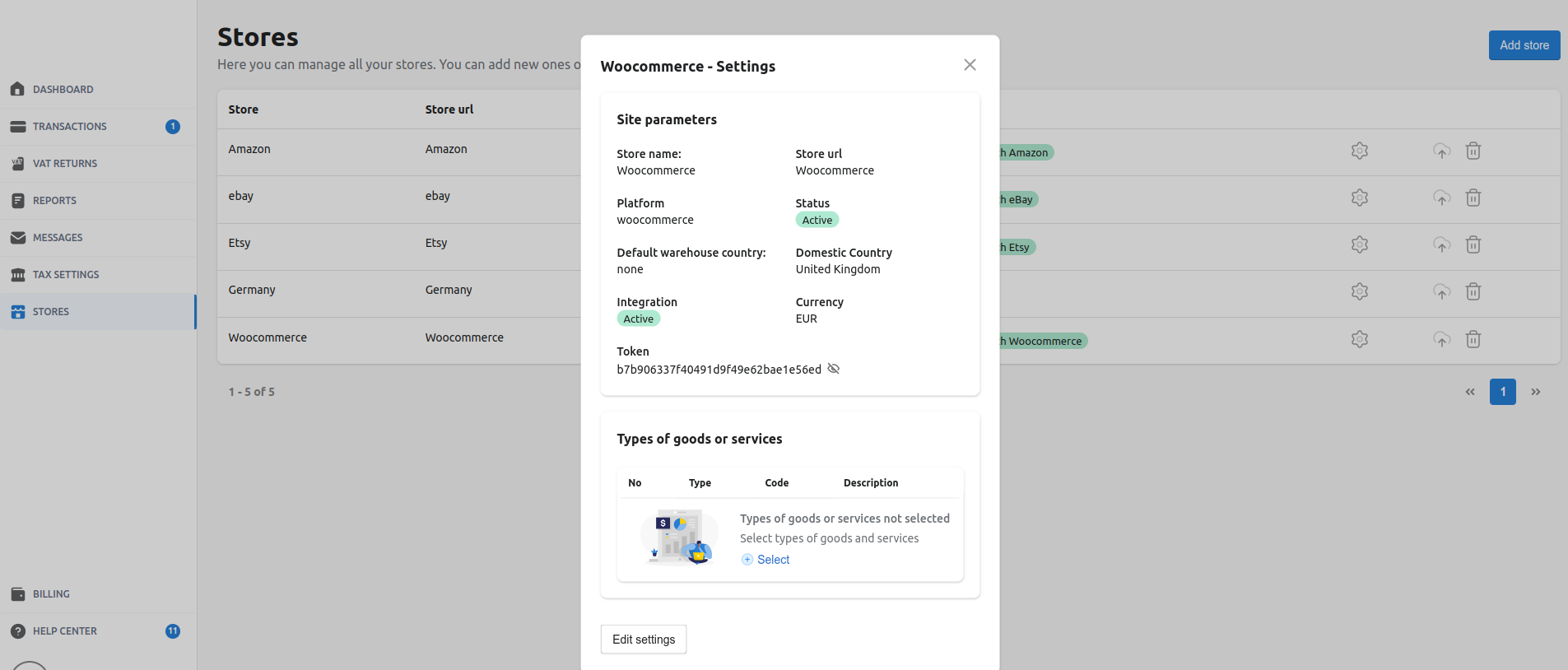
5. To activate Tax calculation feature, you need to fill the Access token field and check the box Calculate tax. Also choose your Shipping country and enter Shipping zip. Then press the button Save

*You can find your Token in your Lappa account. Go to the Stores section and open the Settings
On the checkout page you need to enter your Postcode/ZIP and choose your Country.
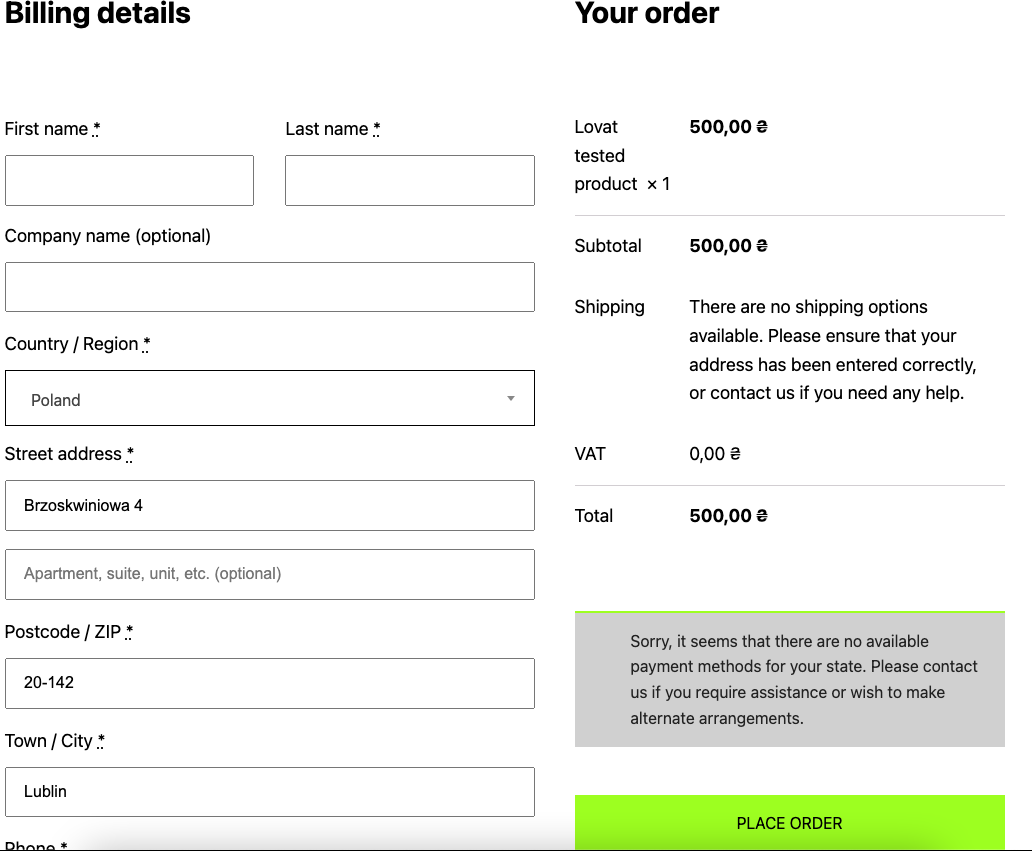
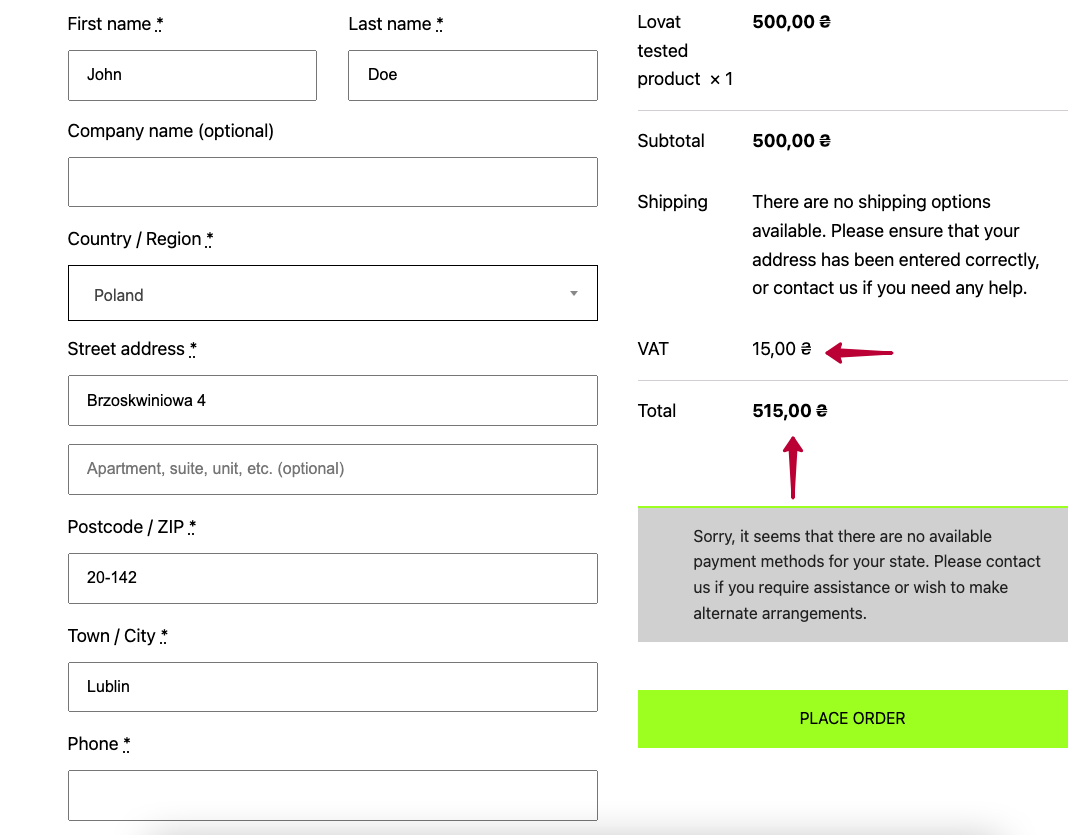
The system calculates your tax automatically and applies it. Then press the button Place the order.
You can see full information and calculated tax in your WooCommerce admin panel. Goto the Orders section and check it.
